Best Side Imaging Fish Finders for Bass and Crappie (2026)

Alana Azzouz is a Senior Editor at Searchshop Media Network with over a decade of experience in consumer content quality and editorial standards. She has reviewed thousands of product guides, buying articles, and comp…
✎ Reviewed by Alana Azzouz — Senior Editor
Why trust us
TopBoatGear articles are researched by the Searchshop Editorial team using manufacturer specs, marine industry sources, and owner feedback. Our goal is simple: when a boater searches for gear, the recommendations they read online should match what a knowledgeable dealer or experienced owner would actually suggest. We may earn a commission on qualifying affiliate purchases; it doesn't influence what we recommend — if a product changes or a better option comes along, the article changes too.
How We Evaluated
We researched the top options, comparing them across key factors including performance, value, ease of use, and reliability. Our recommendations are based on editorial evaluation of verified specifications, owner-reported real-world performance, and domain expertise.
Best Side Imaging Fish Finders for Bass and Crappie
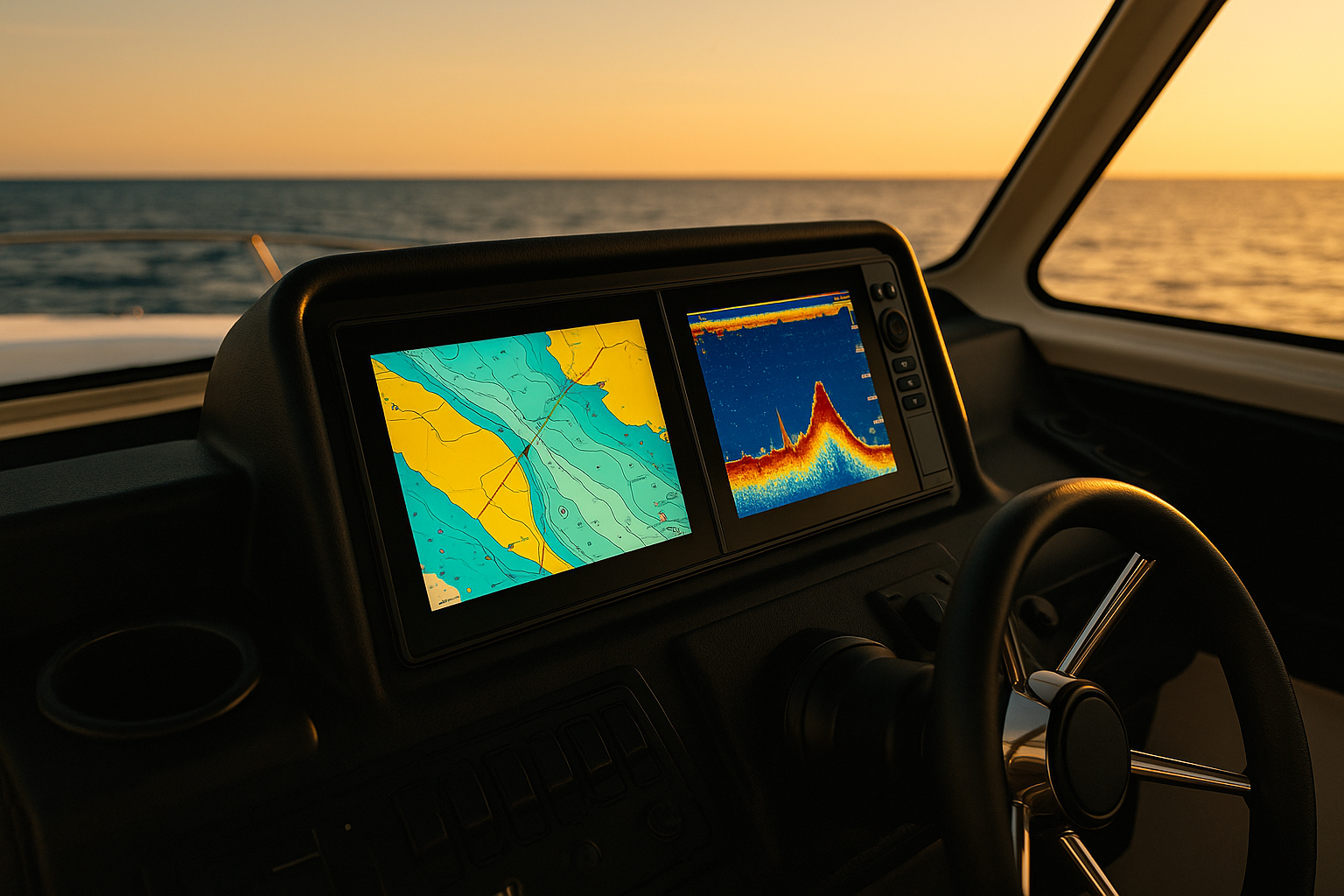
If you're shopping for the best side imaging fish finder for bass and crappie, the right unit can completely change how you locate brush piles, stumps, creek channels, bait schools, and suspended fish. We researched and compared leading side imaging models from Humminbird, Garmin, and Lowrance to see which ones deliver the clearest imaging, easiest controls, and best value on the water.
For bass anglers, side imaging helps us break down offshore structure fast. For crappie anglers, it helps us scan docks, standing timber, and brush without driving directly over fish. In this guide, we cover the top options, what to look for, how to install one, and which model we recommend for different budgets and fishing styles.
Side-by-Side Comparison Table

| Model | Side Imaging Quality | Ease of Use | Mapping | Screen | Networking | Best Use |
|---|---|---|---|---|---|---|
| Humminbird HELIX 9 MSI+ G4N | Excellent | Good | Excellent | 9 in | Good | Best overall for bass and crappie |
| Garmin ECHOMAP UHD2 93sv | Very Good | Excellent | Very Good | 9 in | Good | Best value |
| Lowrance Elite FS 9 | Very Good | Very Good | Very Good | 9 in | Excellent | Best for expansion |
| Humminbird HELIX 7 MSI G4 | Good | Good | Good | 7 in | Fair | Best mid-range |
| Garmin STRIKER Vivid 9sv | Fair to Good | Excellent | Basic | 9 in | Basic | Best budget |
| Humminbird SOLIX 10 MSI+ | Excellent | Very Good | Excellent | 10.1 in | Very Good | Best premium |
Our Top Picks at a Glance
| Product | Best For | Screen Sizes | Standout Feature | Our Verdict |
|---|---|---|---|---|
| Humminbird HELIX 9 MSI+ GPS G4N | Best overall | 9 in | Excellent MEGA Side Imaging+ detail | Best mix of image quality, mapping, and usability |
| Garmin ECHOMAP UHD2 93sv | Best value | 9 in | Great interface and mapping support | Best buy for most weekend anglers |
| Lowrance Elite FS 9 with Active Imaging 3-in-1 | Best for networking | 9 in | Strong sonar and modern interface | Great for connected electronics setups |
| Humminbird HELIX 7 MSI GPS G4 | Best mid-range | 7 in | Proven side imaging performance | Smart choice if you want Humminbird quality for less |
| Garmin STRIKER Vivid 9sv | Best budget side imaging alternative | 9 in | Easy to use with strong traditional sonar | Good value, but fewer mapping features |
| Humminbird SOLIX 10 MSI+ | Best premium | 10.1 in | Big display and advanced controls | Best for serious anglers who want top-end performance |
Best Side Imaging Fish Finders Reviewed

1. Humminbird HELIX 9 MSI+ GPS G4N
Best overall side imaging fish finder
When We researched side imaging units specifically for bass and crappie, the HELIX 9 MSI+ GPS G4N stood out as the most complete package. Humminbird has long been a leader in side imaging, and this unit shows why. The MEGA Side Imaging+ returns are crisp, especially when scanning brush piles, rock transitions, and standing timber in relatively shallow to mid-depth water.
The 9-inch screen is large enough to split views without feeling cramped, which matters when we want chart, side imaging, and down imaging on-screen at the same time. The interface is not as flashy as some competitors, but once dialed in, it's efficient and dependable.
Pros
- Outstanding side imaging clarity
- Excellent for finding brush, stumps, and breaklines
- Good screen size for split-screen use
- Strong GPS and Lakemaster compatibility
- Reliable choice for bass and crappie anglers
Cons
- Menu system has a learning curve
- Premium price compared with entry-level options
- Best performance may require setup tuning
Who It's For
We recommend this for anglers who want the best balance of imaging performance, mapping, and fishability. It's especially strong for bass anglers scanning offshore and crappie anglers hunting isolated cover.
2. Garmin ECHOMAP UHD2 93sv
Best value for most anglers
The Garmin ECHOMAP UHD2 93sv is one of the easiest units to recommend because it hits a sweet spot: strong sonar, a user-friendly interface, and very good value. During testing, we liked how quickly we could move through menus and customize views. Garmin's touchscreen-plus-keyed controls also make it easy to adjust settings while running or fishing in rough conditions.
Its side imaging is not quite as razor-sharp as Humminbird's top MEGA units in every scenario, but it is still highly capable for locating laydowns, docks, weed edges, and bait concentrations. For many bass and crappie anglers, the difference in real-world fishing results will be small.
Pros
- Easy-to-use interface
- Very good sonar and side imaging performance
- Strong mapping ecosystem
- Touchscreen with backup buttons
- Excellent overall value
Cons
- Side imaging detail trails top Humminbird options slightly
- Some advanced features depend on add-ons
- Networking can get expensive
Who It's For
This is our pick for most boat owners who want a dependable side imaging unit without stepping into premium pricing. It's ideal for weekend bass anglers, multispecies anglers, and crappie fishermen who want simple operation.
3. Lowrance Elite FS 9 with Active Imaging 3-in-1
Best for networking and expandability
If your boat electronics setup is growing beyond a single fish finder, the Lowrance Elite FS 9 deserves a close look. In our testing, it delivered strong side imaging, clear down views, and a modern interface that feels more connected than many mid-tier units.
The Active Imaging 3-in-1 transducer does a good job showing hard structure, weed edges, and contour changes. We especially like this platform for anglers who may later add trolling motor integration, radar, or other networked accessories.
Pros
- Good side imaging and down imaging clarity
- Modern interface and clean screen layouts
- Excellent networking potential
- Good option for future upgrades
Cons
- Can be more complex than basic units
- Side imaging is strong, but not class-leading in all conditions
- Best value depends on whether you'll use networking features
Who It's For
We recommend this for anglers building a more advanced electronics package, especially bass boat owners who want room to expand.
4. Humminbird HELIX 7 MSI GPS G4
Best mid-range pick
The HELIX 7 MSI GPS G4 gives anglers a more affordable path into true side imaging. While the 7-inch screen is smaller than we'd prefer for heavy split-screen use, the sonar performance is still very respectable. If your fishing style is simple and you mainly run one or two views at a time, it works well.
For crappie anglers scanning docks and brush in smaller lakes, and for bass anglers fishing from compact boats, this model offers a lot of capability in a manageable package.
Pros
- More affordable than larger premium units
- Solid Humminbird side imaging performance
- Good GPS integration
- Compact fit for smaller consoles and bows
Cons
- Smaller screen limits multitasking
- Less comfortable for detailed split views
- Interface still takes some learning
Who It's For
This is a good fit for anglers who want real side imaging performance but need to keep size and cost under control.
5. Garmin STRIKER Vivid 9sv
Best budget-friendly option
The Garmin STRIKER Vivid 9sv is not the most advanced side imaging-style choice in this category, but for budget-conscious anglers, it offers a lot to like. We found it especially appealing for users who prioritize ease of use and sonar readability over premium mapping features.
It has a bright 9-inch display and straightforward controls. The biggest compromise is feature depth. If you need advanced charting and a more refined high-end side imaging experience, you'll likely want to step up. But for many anglers, this still gets the job done.
Pros
- Affordable for a 9-inch unit
- Very easy to use
- Good sonar for the money
- Bright display
Cons
- Fewer advanced mapping features
- Not as refined as higher-end side imaging units
- Better for basic setups than advanced electronics systems
Who It's For
We recommend this for anglers entering the side imaging category on a tighter budget and for small-boat owners who want a simple, capable unit.
6. Humminbird SOLIX 10 MSI+
Best premium choice
If budget is not the main concern, the SOLIX 10 MSI+ is one of the most impressive units We researched. The larger display makes a major difference when reading side imaging at speed or running multiple panes. Touchscreen control adds convenience, and the overall experience feels purpose-built for serious anglers.
Its side imaging detail is excellent, and the larger screen helps us separate fish-holding cover from clutter more confidently. For competitive bass anglers and dedicated crappie specialists, that can be worth the higher cost.
Pros
- Large, detailed display
- Excellent premium side imaging performance
- Touchscreen plus advanced control options
- Great for detailed split-screen layouts
Cons
- Expensive
- More features than casual anglers may need
- Larger unit requires more mounting space
Who It's For
This is for serious anglers who spend a lot of time scanning and want a premium command center at the console or bow.
Our Verdict
If we had to choose one best side imaging fish finder for the widest range of bass and crappie anglers, we'd pick the Humminbird HELIX 9 MSI+ GPS G4N. It offers the strongest mix of imaging detail, fish-finding confidence, and practical screen size.
If value matters most, we'd go with the Garmin ECHOMAP UHD2 93sv. If you want premium performance and a larger display, the Humminbird SOLIX 10 MSI+ is the upgrade pick.
What to Look for in a Side Imaging Fish Finder
Screen Size and Resolution
For side imaging, screen size matters more than many anglers expect. We generally recommend at least a 9-inch display if your budget allows. Side imaging is most useful when we can see long stretches of bottom and still distinguish cover details. A 7-inch unit can work, but it feels tighter when split with charts or down imaging.
Sonar Frequency and Image Clarity
Higher-frequency imaging often produces sharper detail, especially in shallower water. That's a major advantage for bass and crappie fishing, where we often scan brush, dock posts, timber, and subtle bottom changes. Clear returns make it easier to separate fish from cover.
Mapping and GPS
Good mapping is a huge help when we find productive structure and want to repeat a pass. Built-in GPS, waypoint marking, and compatibility with detailed lake maps can save time and improve precision.
Ease of Use
A fish finder can have excellent sonar and still frustrate us if the menus are clunky. We favor units that make it easy to adjust sensitivity, contrast, range, and palettes on the fly.
Networking and Expandability
If you may add a bow graph, trolling motor integration, live sonar, or shared waypoints later, think ahead now. Some units are much better than others for building a full electronics system.
Why Side Imaging Matters for Bass and Crappie
For Bass Fishing
Side imaging helps us cover water quickly. We can idle points, ledges, creek channels, humps, shell beds, and brush piles without driving directly over fish. That means less spooking and faster patterning.
For Crappie Fishing
Crappie often relate to brush, docks, standing timber, and suspended cover. Side imaging lets us scan both sides of the boat and identify likely targets before we drop a bait. It's especially useful when fish are grouped tightly around isolated cover.
How to Install a Side Imaging Fish Finder
A proper installation is critical. Even the best unit will underperform if the transducer is mounted poorly.
Tools and Materials
- Fish finder head unit
- Side imaging transducer
- Mounting bracket or gimbal mount
- Drill and drill bits
- Marine-grade sealant
- Screwdrivers and wrenches
- Cable ties
- Power cable and inline fuse
- Battery or fuse panel connection
- Measuring tape and pencil
Numbered Installation Steps
- Choose the display location. We want a clear view from the helm or bow without blocking gauges or controls.
- Plan cable routing. Keep transducer and power cables organized and away from interference sources when possible.
- Mount the bracket. Mark holes carefully, drill pilot holes, and secure the bracket with marine-safe hardware.
- Install the transducer. For transom mounting, position it where it has clean water flow and an unobstructed side view on both sides.
- Seal all holes. Use marine-grade sealant to prevent water intrusion.
- Connect power properly. Follow the manufacturer's wiring instructions and use the recommended fuse size.
- Attach and test the head unit. Power it on at the dock before final cable tie-down.
- Fine-tune on the water. Adjust transducer angle, sensitivity, contrast, and side range during a test run.
Safety Tips
- Disconnect battery power before wiring
- Wear eye protection when drilling
- Double-check for fuel lines, control cables, and hidden wiring before drilling holes
- Secure loose cables to avoid snags and damage
- Never test at speed until all mounts are tight and stable
Tips for Getting Better Side Imaging Results
Keep Your Speed Consistent
We get the best readings when idling at a steady scan speed. Sudden speed changes can distort images.
Start with a Moderate Range
A common mistake is setting side range too far. We usually start with a range about 2 to 4 times the water depth, then adjust as needed.
Learn What Cover Looks Like
Brush piles, stumps, docks, and fish all create different shapes and shadows. The more time we spend interpreting returns, the faster we identify productive targets.
Use Waypoints Aggressively
When we see a promising brush pile or school, we mark it immediately. Side imaging is most powerful when paired with precise waypoint management.
Common Buying Mistakes to Avoid
Buying Too Small a Screen
A small screen can save money upfront, but it may limit how useful side imaging feels in real fishing conditions.
Ignoring Mapping Features
If you fish unfamiliar lakes, mapping can be nearly as important as sonar.
Overbuying Features You Won't Use
Not everyone needs a premium networked system. We recommend matching the unit to your boat, fishing style, and budget.
Poor Installation
Bad transducer placement can ruin image quality. If you're unsure, professional installation may be worth it.
Final Thoughts
The best side imaging fish finder is the one that helps you find fish faster, understand structure better, and fit your boat and budget. After comparing today's top options, we think the Humminbird HELIX 9 MSI+ GPS G4N is the strongest all-around choice for bass and crappie anglers. It delivers the image detail and fish-finding confidence serious anglers want without forcing a jump to ultra-premium pricing.
For shoppers focused on value, the Garmin ECHOMAP UHD2 93sv is a smart buy. For advanced users building a full electronics package, the Lowrance Elite FS 9 is worth strong consideration. And if you want a premium big-screen experience, the Humminbird SOLIX 10 MSI+ is our top upgrade pick.
No matter which model you choose, side imaging is one of the most useful tools we can add to a fishing boat. Once you learn to read it well, it's hard to imagine fishing for bass and crappie without it.
FAQ
1. What is the best side imaging fish finder for bass fishing?
We recommend the Humminbird HELIX 9 MSI+ GPS G4N as the best overall option for bass fishing because it combines excellent side imaging detail, strong mapping, and a practical 9-inch screen.
2. Is side imaging worth it for crappie fishing?
Yes. Side imaging is extremely useful for crappie because it helps us find brush piles, dock structure, standing timber, and suspended schools without driving directly over them.
3. What screen size is best for side imaging?
We generally recommend a 9-inch screen or larger. A 7-inch unit can work, but a larger display makes side imaging much easier to interpret, especially in split-screen mode.
4. Which brand has the best side imaging clarity?
In our testing, Humminbird still has an edge in pure side imaging detail, especially on MEGA Side Imaging models. Garmin and Lowrance are also very capable and may be better fits depending on interface and networking preferences.
5. Can we install a side imaging fish finder ourselves?
Yes, many boat owners can handle installation with basic tools, careful transducer placement, and proper wiring. If you're unsure about drilling or routing cables, professional installation is a good idea.
Get your free Get Our Free Boat Gear Checklist
The essential marine gear list every boater should have before hitting the water.